
Anker USB-C to HDMI Adapter Review: A Simple Way to Connect USB-C Devices to 4K Displays.
The Anker USB-C to HDMI Adapter is built for one clean job: connecting a compatible USB-C laptop, tablet, or phone to an HDMI monitor, TV, or projector. It is a smart pick when you need a simple display adapter instead of a full USB-C hub or docking station.
USB-C in. HDMI out.
A small adapter can solve a big display problem — as long as your USB-C port supports video output.
Why Trust USBHubShop
USBHubShop helps readers compare USB-C hubs, chargers, cables, docking stations, and accessories using plain-English compatibility guidance.
-
Independent by design
USBHubShop does not manufacture USB-C accessories or sell its own competing charger, cable, hub, or docking station line. -
Compatibility-led, not promotional
Guides are built around device compatibility, charging standards, port support, cable requirements, and practical buyer use cases. -
Clear and accountable
Articles are written under a consistent editorial process with visible update dates, affiliate disclosures, and clear responsibility for corrections. -
Maintained with intent
USB-C standards, charging speeds, cable ratings, device requirements, and product availability can change. Guidance is reviewed and updated as the category evolves.
Affiliate disclosure: USBHubShop may earn a commission when you buy through links on this page, at no extra cost to you. We focus on helping you choose USB-C adapters, hubs, chargers, and cables that match your actual device and setup.
Quick answer
The Anker USB-C to HDMI Adapter is a strong pick if you need a simple way to connect a compatible USB-C device to an HDMI monitor, TV, or projector. It is best for people who need display output only, not extra USB ports, Ethernet, SD card readers, or charging passthrough.
Make sure your USB-C port supports video.
The adapter can only send video if the USB-C port on your laptop, tablet, or phone supports display output, often called DisplayPort Alt Mode. If your USB-C port is charge-only or data-only, an HDMI adapter will not magically create video output.
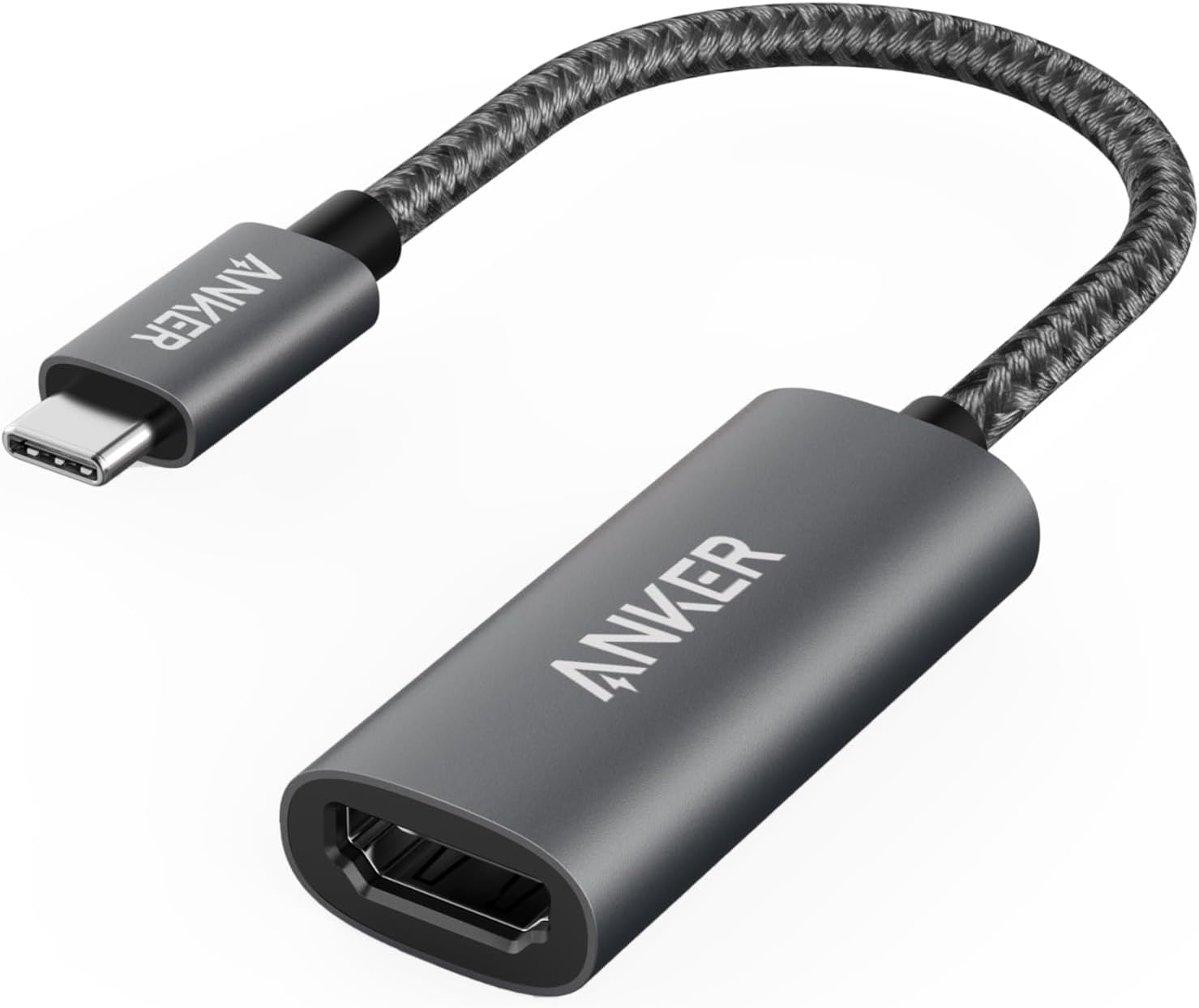
A simple HDMI adapter can work beautifully — if your USB-C port supports video output.
What is the Anker USB-C to HDMI Adapter?
The Anker USB-C to HDMI Adapter is a compact display adapter that connects a USB-C device to an HDMI screen. It is designed for people who want to mirror or extend their screen to a monitor, TV, projector, conference room display, classroom screen, or hotel TV.
This is different from a full USB-C hub. A hub may include HDMI plus USB-A, Ethernet, SD card readers, and charging passthrough. This adapter is simpler: USB-C on one side, HDMI on the other.
Good fit
MacBook users, Windows laptop users, Chromebook users, iPad users, travel setups, presentations, monitors, TVs, and projectors.
Check before buying
USB-C video support, HDMI resolution, refresh rate, device compatibility, monitor cable quality, and whether you need a hub instead.
The most important compatibility rule
The biggest mistake people make with USB-C to HDMI adapters is assuming every USB-C port supports video. It does not.
Your device needs a USB-C port that supports video output. Many laptops do. Some tablets do. Some phones do. Some USB-C ports only support charging or data transfer. If the device cannot output video through USB-C, the adapter will not show anything on the monitor.
No signal does not always mean the adapter is bad
If your screen says “no signal,” the issue may be your device’s USB-C port, display settings, HDMI cable, monitor input, or adapter compatibility. Start with the USB-C port’s video support before blaming the adapter.
Anker USB-C to HDMI Adapter buying guide
Use this table before buying or troubleshooting. The adapter is simple, but the setup around it matters.
| Question | What to check | Best buying move |
|---|---|---|
| Does your USB-C port support video? | Look for DisplayPort Alt Mode, Thunderbolt, USB4, or manufacturer display-output support. | Check the USB-C compatibility guide |
| Do you need 4K? | Check whether the adapter, HDMI cable, monitor, and device all support the resolution and refresh rate you want. | See USB-C hubs with HDMI |
| Do you need 4K 60Hz? | 4K 60Hz needs stronger support than basic 1080p or 4K 30Hz setups. | Compare 4K 60Hz HDMI adapters |
| Do you need more than HDMI? | If you also need USB-A, Ethernet, SD card, or charging passthrough, a hub may be smarter. | Compare hubs and docking stations |
| Is your monitor saying no signal? | Check input source, HDMI cable, display settings, USB-C video support, and adapter seating. | Fix USB-C HDMI adapter issues |
Adapter is enough
If you only need HDMI output, a compact USB-C to HDMI adapter is cleaner than carrying a full hub.
Consider a hub
If you need HDMI plus USB-A, Ethernet, charging, and card readers, a USB-C hub makes more sense.
Consider a dock
If you use multiple monitors, many accessories, and laptop charging every day, a docking station may be the better move.
Who should buy this adapter?
The Anker USB-C to HDMI Adapter is best for people who want a direct, portable way to connect one USB-C device to one HDMI display. It is especially useful for presentations, classrooms, travel, home monitors, conference rooms, and simple laptop-to-TV setups.
It is not the best option if you need a full desk expansion setup. For that, look at a USB-C hub or docking station with HDMI, USB-A, Ethernet, charging passthrough, and card readers.
Simple adapter. Smart buy — when your USB-C port supports video.
The Anker USB-C to HDMI Adapter is a clean solution for connecting compatible USB-C devices to HDMI displays. The adapter is not the confusing part. The confusing part is whether your device’s USB-C port actually supports display output.
Better alternatives to consider
If you need more than HDMI, compare the adapter with a USB-C hub or docking station before buying.
For one HDMI display
A USB-C to HDMI adapter is the cleanest option if your only goal is connecting to a monitor, TV, or projector.
For HDMI plus extra ports
Choose a USB-C hub if you also need USB-A, card readers, Ethernet, or pass-through charging.
You can also start with the Best USB-C Hubs With HDMI guide or the USB-C Hub vs Docking Station guide if you are deciding between an adapter, hub, or dock.
What to check before buying
USB-C video support
Your USB-C port must support video output. If it does not, HDMI will not work through an adapter.
Resolution and refresh rate
For 4K monitors, check whether your adapter, HDMI cable, monitor, and device support the same refresh rate.
Adapter vs hub
Buy an adapter for HDMI only. Buy a hub if you need HDMI plus extra ports, charging, Ethernet, or card readers.
Simple buying rule
Buy the Anker USB-C to HDMI Adapter if you need one clean HDMI connection from a compatible USB-C device. Choose a USB-C hub or docking station if you need HDMI plus extra ports, charging, Ethernet, storage, or a fuller desk setup.
As an Amazon Associate, USBHubShop may earn from qualifying purchases.People also ask
Is the Anker USB-C to HDMI Adapter worth buying?
Yes, if you need a simple HDMI connection from a compatible USB-C device to a monitor, TV, or projector. It is best when you only need display output and do not need extra USB ports, charging passthrough, Ethernet, or card readers.
Does the Anker USB-C to HDMI Adapter support 4K?
Many Anker USB-C to HDMI adapters support 4K output, but the exact resolution and refresh rate depend on the model, connected device, HDMI cable, and display. Check the listing for whether the adapter supports 4K at 30Hz or 4K at 60Hz.
Why is my USB-C to HDMI adapter not working?
The most common reasons are a USB-C port that does not support video output, the wrong monitor input selected, a weak HDMI cable, unsupported resolution settings, or a compatibility issue between the device and display.
Do all USB-C ports support HDMI output?
No. USB-C is the connector shape, not a guarantee of video output. Your device’s USB-C port must support video output, DisplayPort Alt Mode, Thunderbolt, or USB4 display capability for a USB-C to HDMI adapter to work.
Should I buy a USB-C to HDMI adapter or a USB-C hub?
Buy a USB-C to HDMI adapter if you only need one HDMI display connection. Buy a USB-C hub if you also need USB-A ports, Ethernet, SD card readers, charging passthrough, or more connection options.
Will this adapter work with a MacBook or iPad?
It may work with compatible USB-C MacBooks and iPads that support external display output. Always check your exact device model and display settings before buying.
Sources and product details checked
USBHubShop reviewed this update against current Anker product and support information for USB-C to HDMI adapters. Anker lists current USB-C HDMI adapters with features such as HDMI output, 4K support, and compatibility with many USB-C laptops and tablets. As with all USB-C display accessories, compatibility depends on the connected device’s USB-C video-output support.
