
Powered USB Hubs Explained: When You Need One and What to Check Before Buying.
A powered USB hub can make a laptop or desktop setup more stable when you connect external drives, multiple accessories, or devices that need more power than a basic hub can provide. The trick is knowing when a powered hub is actually necessary — and when a regular USB hub is enough.
More devices need more stable power.
A powered hub can help when your USB setup keeps disconnecting, underpowering devices, or running out of reliable ports.
Why Trust USBHubShop
USBHubShop helps readers compare USB-C hubs, chargers, cables, docking stations, and accessories using plain-English compatibility guidance.
-
Independent by design
USBHubShop does not manufacture USB-C accessories or sell its own competing charger, cable, hub, or docking station line. -
Compatibility-led, not promotional
Guides are built around device compatibility, charging standards, port support, cable requirements, and practical buyer use cases. -
Clear and accountable
Articles are written under a consistent editorial process with visible update dates, affiliate disclosures, and clear responsibility for corrections. -
Maintained with intent
USB-C standards, charging speeds, cable ratings, device requirements, and product availability can change. Guidance is reviewed and updated as the category evolves.
Affiliate disclosure: USBHubShop may earn a commission when you buy through links on this page, at no extra cost to you. We focus on helping you choose USB-C hubs, chargers, cables, and accessories that match your actual setup.
Quick answer
You need a powered USB hub when your connected devices need more stable power than your laptop, desktop, or basic bus-powered hub can provide. Powered USB hubs are especially useful for external hard drives, multiple USB accessories, desktop workstations, audio gear, cameras, card readers, and setups where devices keep disconnecting.
If the device pulls power, the hub should have power.
A regular USB hub may be fine for a keyboard, mouse, flash drive, or simple receiver. But if you connect external drives, several accessories, or devices that behave unpredictably, a powered hub is usually the cleaner choice.
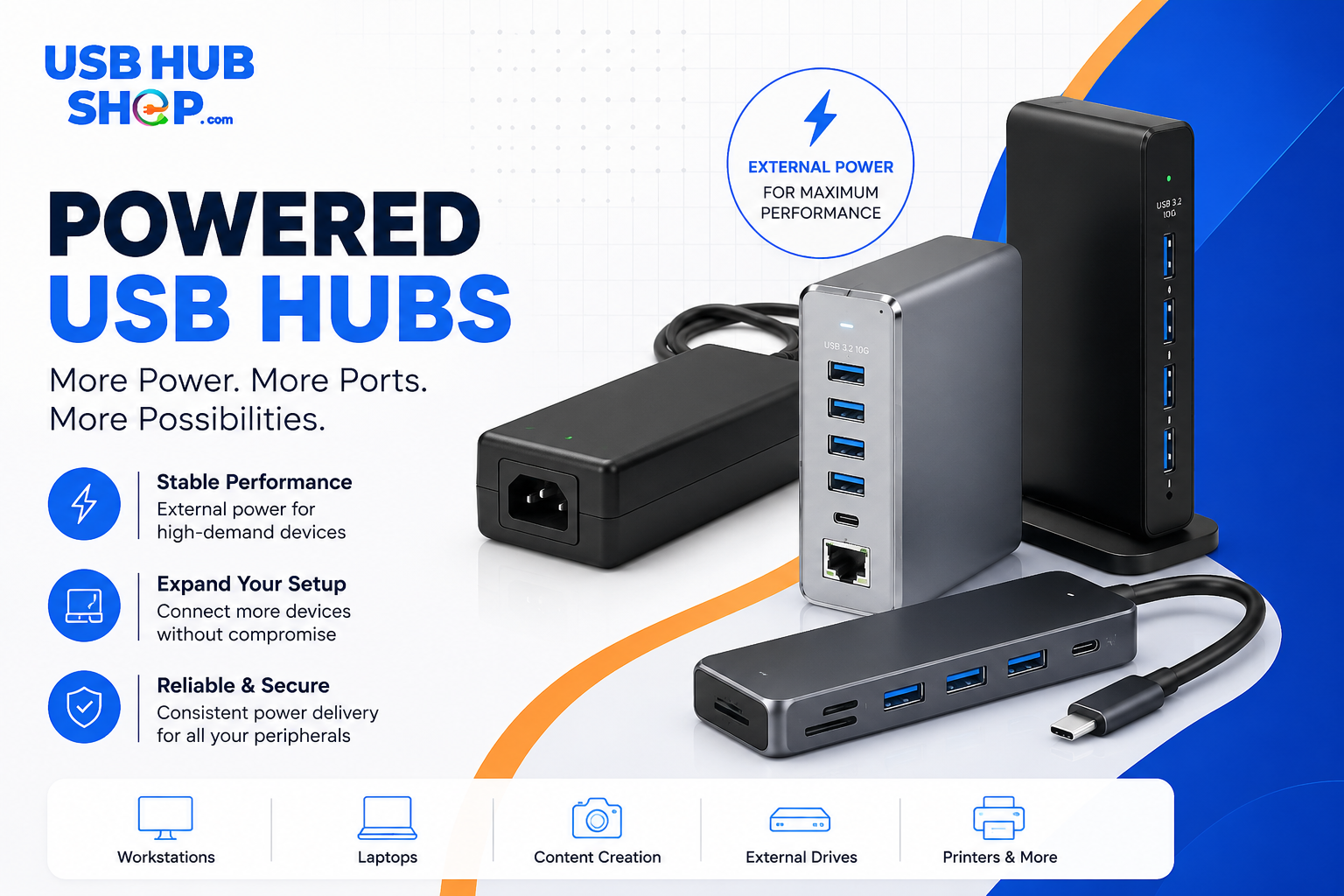
A powered USB hub can give connected devices more stable power — especially when your setup uses external drives, many accessories, or power-hungry USB devices.
What is a powered USB hub?
A powered USB hub is a USB hub that uses its own external power adapter. That power supply helps the hub support multiple connected devices instead of relying only on power from the computer’s USB port.
This is different from a bus-powered hub, which pulls power from the laptop, desktop, tablet, or host device. Bus-powered hubs can be convenient and portable, but they can struggle when too many devices draw power at once.
Powered USB hub
Uses an external power adapter. Better for external drives, multiple devices, desktop setups, and accessories that need stable power.
Bus-powered USB hub
Pulls power from the computer or host device. Better for travel, simple accessories, flash drives, keyboards, and mice.
When do you actually need a powered USB hub?
You usually need a powered USB hub when your setup has more devices than your computer can comfortably power through one USB port. This is common with external hard drives, multiple USB accessories, audio interfaces, webcams, capture devices, card readers, and desktop setups with several peripherals.
A powered hub does not automatically make every device faster. Its main advantage is power stability. If your devices keep disconnecting, fail to mount, stop transferring files, or behave inconsistently, power may be part of the problem.
Powered does not always mean faster
A powered USB hub can improve stability, but data speed still depends on the hub’s USB standard, the computer port, the cable, and the connected device. Power and speed are related, but they are not the same thing.
Powered USB hub buying guide
Use this table to decide whether a powered hub makes sense for your setup.
| Use case | Do you need a powered hub? | Best buying move |
|---|---|---|
| External hard drives | Often yes. Drives can need more stable power, especially when several are connected. | See hubs for external drives and SSDs |
| Keyboard and mouse | Usually no. A simple bus-powered hub is often enough. | See best USB-C hubs |
| Webcam, microphone, audio interface | Sometimes. Powered hubs can help when accessories disconnect or glitch. | Fix USB-C hub webcam issues |
| Several USB-A accessories | Often yes, especially for a permanent desk setup. | Compare powered USB 3.0 hubs |
| Phone or tablet charging | Maybe, but a charger is usually better than a hub for charging speed. | See multi-port USB-C chargers |
| Travel setup | Usually no. A compact USB-C hub is easier to carry. | See travel USB-C hubs |
Powered is smarter
External drives and multiple storage devices are one of the strongest reasons to choose a powered USB hub.
Regular hub may be enough
For a keyboard, mouse, dongle, or flash drive, a basic hub may work fine.
Use a charger instead
If your main goal is fast charging phones, tablets, or laptops, buy a real USB-C charger or charging station.
Powered USB hub vs USB-C hub
A powered USB hub and a USB-C hub are not always the same thing. A powered USB hub is defined by how it gets power. A USB-C hub is defined by its connector and port ecosystem.
You can have a powered USB-A hub, a powered USB-C hub, a bus-powered USB-C hub, or a USB-C docking station with its own power supply. The right choice depends on whether your setup needs more power, more ports, video output, charging passthrough, Ethernet, or storage support.
Powered USB hub
Best when your main issue is stable power for several USB devices.
USB-C hub
Best when your laptop needs extra ports like HDMI, USB-A, SD card, or Ethernet.
Docking station
Best for permanent desk setups with monitors, charging, Ethernet, and multiple accessories.
What to check before buying a powered USB hub
Do not buy only by the number of ports. A 10-port hub can still be the wrong choice if the power adapter is weak, the data standard is too slow, or the hub does not match your devices.
Power adapter
Check that the hub includes its own power adapter and that the adapter is strong enough for your devices.
USB speed
Look for USB 3.x or faster if you use external drives, SSDs, cameras, or file transfers.
Port type
Decide whether you need USB-A, USB-C, or both. Do not assume every hub has the ports you need.
Charging support
If charging matters, check whether the hub is built for charging or just device connection.
Drive support
For external drives, stability matters. Powered hubs are often better than basic portable hubs.
Desk vs travel
Powered hubs are better for desks. Smaller bus-powered hubs are better for bags.
Should you buy a powered USB hub in 2026?
Yes, if you are building a more stable desk setup or connecting several devices that need reliable power. Powered USB hubs still matter because many laptops have fewer ports, and many accessories still use USB-A or need steady power.
But if your main goal is charging a phone, tablet, or laptop, a powered USB hub may not be the best answer. For charging, use a proper USB-C charger or multi-port USB-C charger. For monitors and desk expansion, consider a USB-C hub or docking station.
Powered hubs solve stability problems, not every USB problem.
A powered USB hub is the right move when devices need more reliable power. It is not automatically the right move for fast charging, video output, or laptop docking. Buy it for the problem it actually solves.
Better alternatives to consider
A powered USB hub is not always the best product category. Sometimes a USB-C charger, USB-C hub, or docking station is the cleaner answer.
For external drives and accessories
Choose a powered USB hub if you connect several USB devices and need more stable power.
For charging phones and laptops
Choose a dedicated USB-C charger or charging station if charging speed is your main goal.
You can also start with the Best Powered USB Hubs guide, the Best USB-C Hubs guide, or the Best USB-C Hubs for External Hard Drives & SSDs guide.
Simple buying rule
Buy a powered USB hub if your connected devices need more stable power than your computer or basic hub can provide. Choose a USB-C charger for charging, a USB-C hub for port expansion, and a docking station for a full desk setup.
As an Amazon Associate, USBHubShop may earn from qualifying purchases.People also ask
What is a powered USB hub?
A powered USB hub is a USB hub that uses its own external power adapter. This helps provide more stable power to connected devices instead of relying only on power from the computer’s USB port.
Do I need a powered USB hub?
You may need a powered USB hub if you connect external hard drives, several USB accessories, webcams, audio gear, card readers, or devices that keep disconnecting from a regular hub.
Is a powered USB hub better than a regular USB hub?
A powered USB hub is better for devices that need more stable power. A regular bus-powered hub can be fine for simple accessories like keyboards, mice, flash drives, and receivers.
Can a powered USB hub charge phones?
Some powered USB hubs can charge phones, but they are not always the best choice for fast charging. If charging speed matters, a dedicated USB-C charger or charging station is usually better.
Will a powered USB hub make data transfer faster?
Not by itself. Data speed depends on the USB standard supported by the hub, computer port, cable, and connected device. A powered hub can improve stability, but it does not automatically upgrade speed.
Should I buy a powered USB hub or a docking station?
Buy a powered USB hub if you mainly need more USB ports and stable power for accessories. Buy a docking station if you need monitors, laptop charging, Ethernet, storage, and a more complete desk setup.
Sources and product details checked
USBHubShop reviewed this guide against USB-IF USB Power Delivery information and current USB hub buying guidance. USB Power Delivery can support higher power levels, but powered USB hubs still vary by included power adapter, port type, USB speed, and intended use. Buyers should match the hub to the devices they actually connect.
