
USB-C Accessories for iPhone 15: What to Buy for Charging, Data, Audio, and Everyday Use.
The iPhone 15 moved Apple’s main iPhone lineup to USB-C, which makes accessory shopping simpler in some ways and more confusing in others. The right charger, cable, adapter, or hub depends on what you want to do: charge faster, connect accessories, move files, use audio gear, or build a cleaner everyday setup.
USB-C changed the accessory list.
Start with the charger and cable. Then add only the adapters, hubs, and wireless accessories your setup actually needs.
Why Trust USBHubShop
USBHubShop helps readers compare USB-C hubs, chargers, cables, docking stations, and accessories using plain-English compatibility guidance.
-
Independent by design
USBHubShop does not manufacture USB-C accessories or sell its own competing charger, cable, hub, or docking station line. -
Compatibility-led, not promotional
Guides are built around device compatibility, charging standards, port support, cable requirements, and practical buyer use cases. -
Clear and accountable
Articles are written under a consistent editorial process with visible update dates, affiliate disclosures, and clear responsibility for corrections. -
Maintained with intent
USB-C standards, charging speeds, cable ratings, device requirements, and product availability can change. Guidance is reviewed and updated as the category evolves.
Affiliate disclosure: USBHubShop may earn a commission when you buy through links on this page, at no extra cost to you. We focus on helping you choose USB-C and iPhone accessories that match your actual device and setup.
Quick answer
The best USB-C accessories for iPhone 15 are a reliable USB-C charger, a quality USB-C to USB-C cable, a MagSafe or Qi2 wireless charger if you like drop-and-charge convenience, and only the adapters you actually need. Do not buy a pile of random accessories just because the iPhone switched to USB-C. Buy for charging, data, audio, travel, or workspace use.
Start with power. Then add connection accessories.
Your first iPhone 15 accessory upgrade should usually be a good USB-C charger and cable. After that, decide whether you need a USB-C hub, audio adapter, SD card reader, car cable, power bank, or MagSafe charger based on how you actually use your phone.
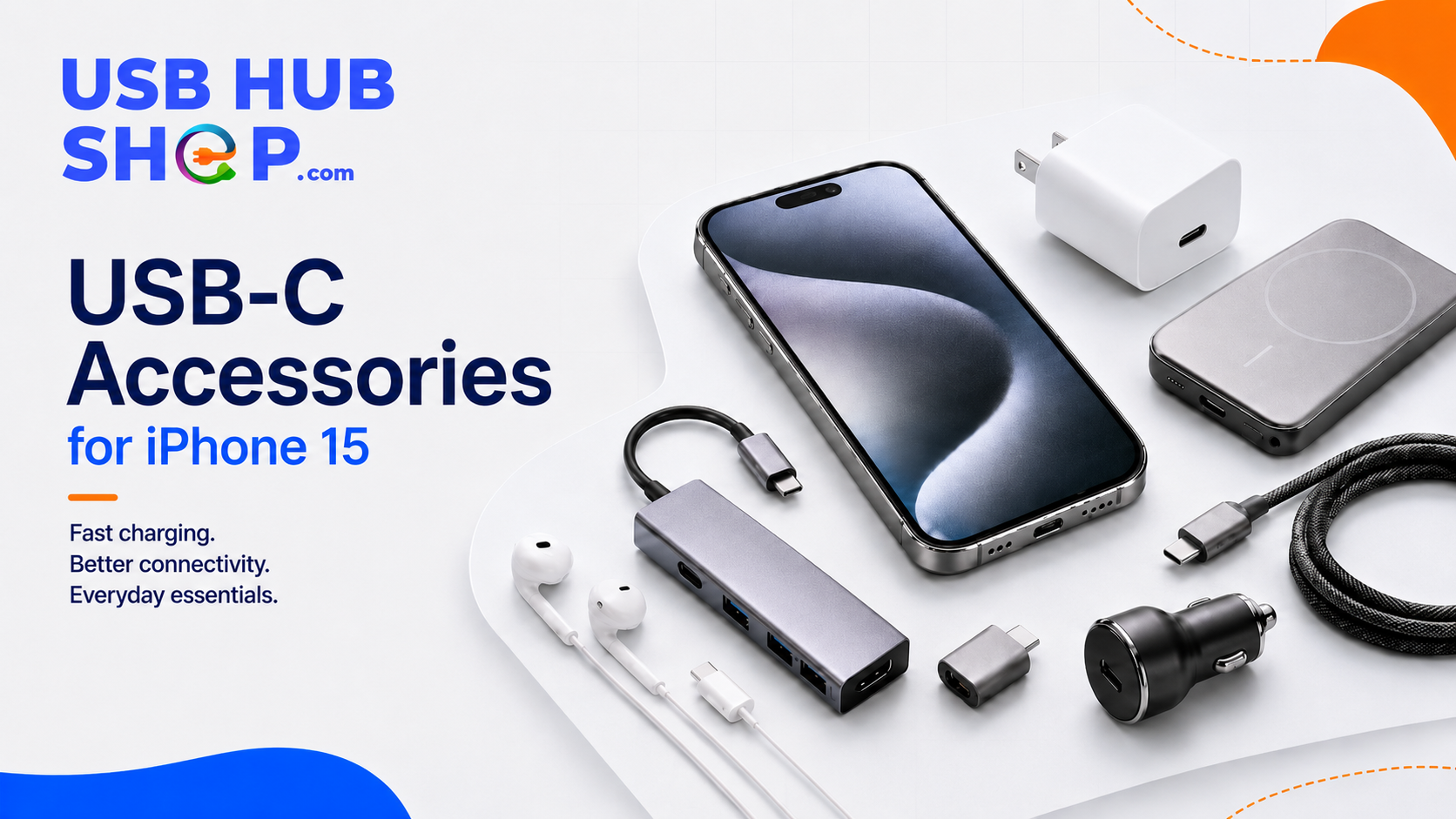
The iPhone 15 moved to USB-C — but the right accessories still depend on charging speed, cable quality, and what you connect.
What changed with iPhone 15 accessories?
The biggest change is the port. The iPhone 15 uses USB-C instead of Lightning, so many buyers no longer need Lightning cables for the phone itself. That opens the door to more universal chargers, more USB-C cables, more adapters, and easier sharing with USB-C iPads, MacBooks, power banks, and some Android accessories.
But USB-C does not mean every accessory is automatically right. Cables can support different charging speeds, different data speeds, and different use cases. Chargers can vary by wattage. Hubs and adapters can work differently depending on the device and accessory.
Good first buys
USB-C charger, USB-C to USB-C cable, MagSafe or Qi2 charger, car charging cable, and a reliable power bank.
Buy only if needed
USB-C hub, SD card reader, USB-C audio adapter, Ethernet adapter, external storage, HDMI adapter, and camera accessories.
The accessories worth buying first
For most iPhone 15 owners, the best accessory setup is simple. You do not need everything. You need the right few pieces.
| Accessory | Why it matters | Best buying move |
|---|---|---|
| USB-C charger | A good USB-C charger is the cleanest way to charge iPhone 15 faster and avoid slow legacy USB-A charging. | See the fastest iPhone charger guide |
| USB-C to USB-C cable | The cable needs to be reliable, durable, and appropriate for charging or data needs. | See USB-C to USB-C cables for phones |
| MagSafe or Qi2 charger | Wireless charging is useful for desks, nightstands, and daily convenience. | Compare MagSafe vs USB-C charging |
| USB-C power bank | Useful for travel, long days, events, airports, and backup power. | Compare USB-C power banks |
| USB-C hub or adapter | Helpful if you connect storage, cameras, audio gear, displays, or SD cards. | See USB-C hub buying logic |
| Car charging cable | Useful if your car has USB-C or if you use a USB-C car charger. | See USB-C car charger options |
Buy first
A good USB-C charger and cable will matter more every day than most novelty accessories.
Buy for convenience
MagSafe or Qi2 makes sense if you want an easy dock, stand, or nightstand setup.
Buy for a specific job
Only buy hubs, SD readers, HDMI adapters, or audio adapters when you know what you need to connect.
Charging: the first accessory category to get right
The iPhone 15 includes a USB-C charge cable, but not a power adapter. That means many buyers still need a wall charger. A USB-C charger is usually the better move than keeping an old USB-A charger around as the main charger.
USB-A can work, but it is slower. If you care about better charging performance, use a compatible USB-C charger and the right cable. For more detail, start with the Fastest iPhone Charger Guide and the 20W vs 30W vs 45W USB-C Charger guide.
Do not build your iPhone 15 setup around old USB-A chargers
USB-A can be fine in a pinch, but it is not the cleanest main charging setup for iPhone 15. USB-C is the better default for charger and cable purchases going forward.
Cables: not all USB-C cables are the same
One of the sneakiest USB-C mistakes is assuming every USB-C cable does every job. Some cables are mainly for charging. Some support faster data. Some are more durable. Some are overkill for a phone.
For most iPhone 15 owners, a strong everyday USB-C to USB-C cable is enough for charging. If you care about file transfers, camera workflows, external devices, or pro-level use, check data speed too.
Everyday charging
Choose a durable USB-C to USB-C cable from a reputable brand.
Travel
Carry one longer cable and one shorter cable so you are not fighting airport outlets.
Data use
Check transfer speed if you plan to move photos, videos, or files regularly.
Do you need a USB-C hub for iPhone 15?
Most iPhone 15 owners do not need a USB-C hub every day. But a hub can be useful if you connect accessories like SD card readers, USB drives, audio gear, keyboards, Ethernet, or displays.
If you only charge your phone and use wireless earbuds, skip the hub for now. If you create content, move files, connect cameras, or use iPhone 15 as part of a travel or work setup, a small USB-C hub or adapter may be worth considering.
Buy accessories by use case, not by hype.
The best iPhone 15 setup is usually charger, cable, wireless option, and then one or two adapters for your real workflow. Anything beyond that should earn its place.
What to skip or delay
Not every iPhone 15 accessory is urgent. Some can wait until you know you need them.
Buy early
USB-C charger, USB-C cable, car charger, MagSafe or Qi2 charger, and a power bank if you travel often.
Buy later
USB-C hub, HDMI adapter, SD card reader, Ethernet adapter, external storage, and specialty audio adapters.
Better accessory paths by user type
Different buyers need different iPhone 15 accessories. Start with your real use pattern.
| User type | Best first accessories | Skip at first |
|---|---|---|
| Everyday user | USB-C charger, USB-C cable, MagSafe or Qi2 stand | USB-C hub, HDMI adapter, Ethernet adapter |
| Traveler | Compact USB-C charger, power bank, longer cable, car charger | Large charging station unless needed |
| Creator | Better USB-C cable, SD reader, storage adapter, power bank | Cheap unknown cables |
| Desk setup | MagSafe stand, multi-port USB-C charger, cable organizer | Random one-off adapters |
| Car user | USB-C car charger, USB-C cable, CarPlay-compatible cable if needed | Charge-only cables for data needs |
Simple buying rule
For iPhone 15, buy a good USB-C charger and cable first. Add MagSafe or Qi2 for convenience. Add hubs, adapters, readers, and specialty gear only when you have a real connection need.
As an Amazon Associate, USBHubShop may earn from qualifying purchases.People also ask
What USB-C accessories do I need for iPhone 15?
Most iPhone 15 owners should start with a reliable USB-C charger, a quality USB-C to USB-C cable, and possibly a MagSafe or Qi2 wireless charger. Add adapters, hubs, SD card readers, or audio accessories only if your setup needs them.
Does iPhone 15 come with a charger?
iPhone 15 includes a USB-C charge cable, but it does not include a wall power adapter. You can use a compatible USB-C power adapter or buy one separately.
Can I use old USB-A chargers with iPhone 15?
You can use older USB-A chargers with the right cable, but charging will be slower than a proper USB-C charger. A USB-C charger is the better default for iPhone 15.
Do I need a special USB-C cable for iPhone 15?
For basic charging, a reliable USB-C to USB-C cable is usually enough. For faster data transfer or accessory workflows, check the cable’s data speed, power support, and quality before buying.
Do I need a USB-C hub for iPhone 15?
Most users do not need a USB-C hub for everyday iPhone 15 use. A hub is useful if you connect storage, SD cards, cameras, audio gear, displays, keyboards, or other accessories.
Is MagSafe or USB-C better for iPhone 15 charging?
USB-C is usually better for direct charging speed and efficiency. MagSafe or Qi2 is better for convenience on a desk, nightstand, or stand. Many users benefit from having both.
Sources and product details checked
USBHubShop reviewed this update against Apple’s current iPhone USB-C and charging support information. Apple confirms iPhone 15 uses USB-C, includes a USB-C charge cable, supports fast charging with a USB-C cable and compatible power adapter, and charges more slowly with USB-A chargers.
