
Anker Wireless Chargers: What to Know Before You Buy
Anker wireless chargers are convenient, clean, and easy to live with — but the right one depends on your phone, charging speed expectations, MagSafe or Qi2 support, and whether wired USB-C would be the better move.
Why Trust USBHubShop
USBHubShop helps readers compare USB-C hubs, chargers, cables, docking stations, and accessories using plain-English compatibility guidance.
-
Independent by design
USBHubShop does not manufacture USB-C accessories or sell its own competing charger, cable, hub, or docking station line. -
Compatibility-led, not promotional
Guides are built around device compatibility, charging standards, port support, cable requirements, and practical buyer use cases. -
Clear and accountable
Articles are written under a consistent editorial process with visible update dates, affiliate disclosures, and clear responsibility for corrections. -
Maintained with intent
USB-C standards, charging speeds, cable ratings, device requirements, and product availability can change. Guidance is reviewed and updated as the category evolves.
Affiliate disclosure: USBHubShop may earn a commission when you buy through links on this page, at no extra cost to you. We review chargers, hubs, cables, and accessories by matching product features to real setup needs.
Quick verdict
Anker wireless chargers are worth considering if you want simple, convenient everyday charging for a desk, nightstand, phone, or earbuds. They are best for routine charging, not emergency speed. If you need the fastest possible charge, a wired USB-C charger is usually the better choice.
Buy wireless for convenience. Buy wired for speed.
A wireless pad makes charging feel effortless. A wired USB-C charger gets your battery back faster. The right pick depends on whether your setup needs ease, alignment, portability, or raw charging speed.
What Anker wireless chargers actually do
Anker wireless chargers let compatible phones, earbuds, and other Qi wireless charging devices charge without plugging a cable directly into the device. Instead, you place the device on a charging pad, stand, or magnetic charger.
The biggest benefit is routine. A wireless charger gives your phone a dedicated place to land on your desk or nightstand. That makes it easier to keep your phone topped up without constantly plugging and unplugging a cable.
The tradeoff is speed. Wireless charging is clean and convenient, but wired USB-C charging is usually the better choice when you need the fastest practical charge.
Good fit
People who want easy drop-and-go charging for a desk, nightstand, phone, or Qi-compatible earbuds.
Wrong fit
People who need the fastest charging speed, one charger for multiple large devices, or laptop-level USB-C power.
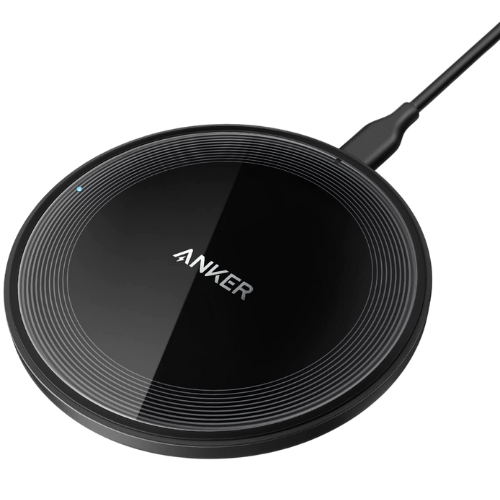
Anker wireless charging pad
This product reference shows a simple flat Anker wireless charging pad. It is built for one compatible phone, earbuds case, or small Qi wireless charging device — not a 3-in-1 dock, stand, or laptop charger.
Clean use case: one simple place to drop your phone or earbuds. Not the best pick for fastest charging, multi-device charging, or laptop-level power.
Specs and compatibility snapshot
| Feature | What it means | USBHubShop take |
|---|---|---|
| Charging style | Wireless charging pad, stand, magnetic charger, or travel charger | Choose the shape based on how and where you actually charge. |
| Flat charging pad | A simple charger where the phone lies flat | Best for desks, nightstands, and earbuds. |
| Charging stand | Holds the phone upright while charging | Better if you want to see notifications, video calls, or StandBy-style viewing. |
| MagSafe / Qi2 | Magnetic alignment on supported devices and cases | Check your phone and case before assuming magnetic charging will work. |
| Speed | Can vary by charger, phone, wall adapter, case, and alignment | Wireless is convenient. Wired USB-C is usually faster. |
| Best buyer | Someone who wants easy routine charging | Strongest value when convenience matters more than maximum wattage. |
Anker wireless charger types explained
The phrase “Anker wireless charger” can mean several different products. Before buying, decide whether you need a pad, stand, magnetic charger, Qi2 charger, travel charger, or multi-device setup.
A flat pad is the simplest. A stand is better if you want to see the screen. A magnetic or Qi2 charger helps with alignment on supported phones. A travel charger is made for portability. A 3-in-1 charging station is for multiple devices, but that is not the same thing as a simple flat pad.
Pad
Best for simple desk and nightstand charging. Flat, stable, and easy to use.
Stand
Best when you want your phone upright while charging.
Magnetic / Qi2
Best for supported phones where alignment and magnetic hold matter.
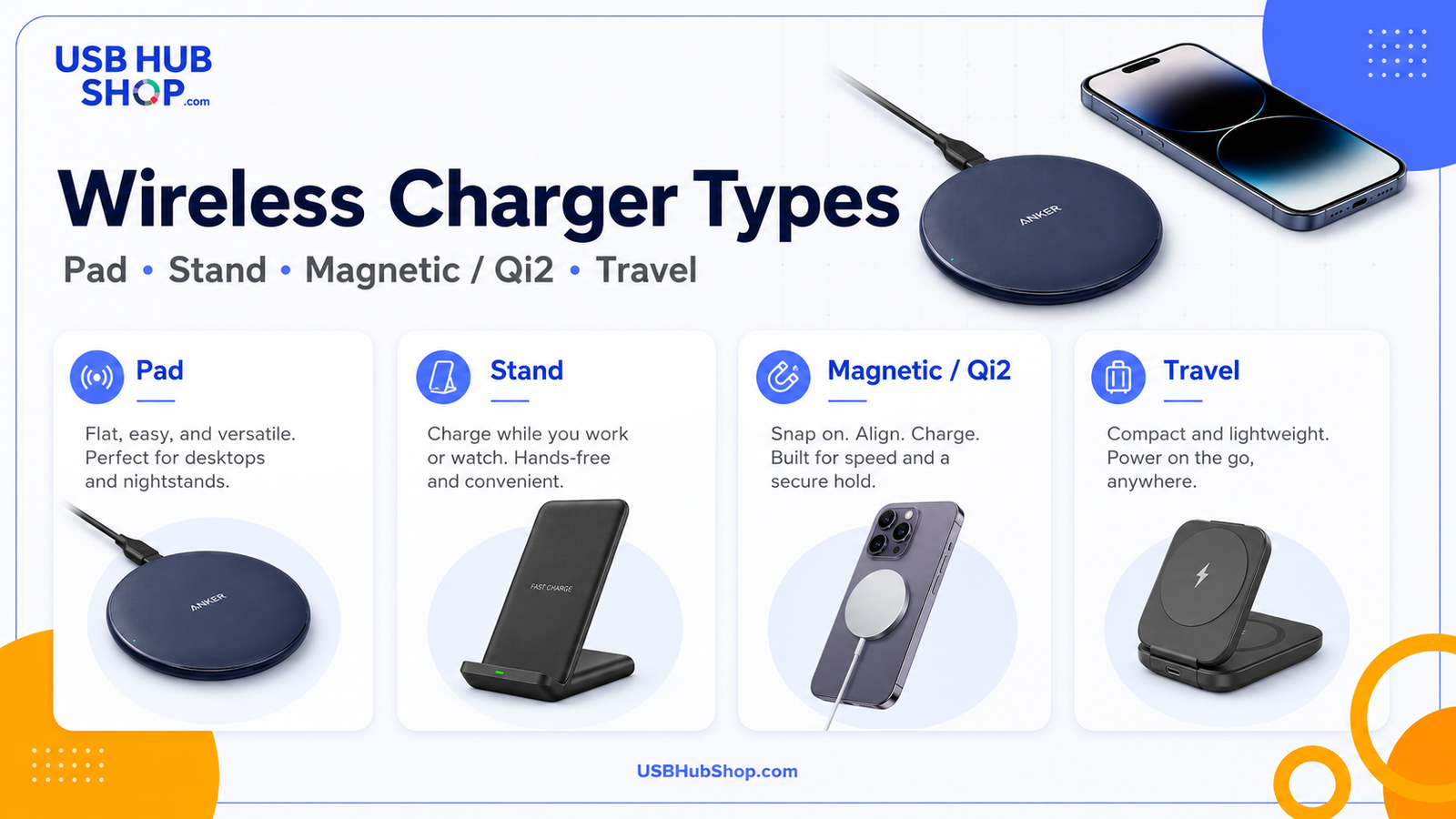
Wireless charger types: a flat pad is simple, a stand is easier to view, magnetic / Qi2 improves alignment on supported phones, and travel chargers prioritize portability.
Who Anker wireless chargers are best for
Anker wireless chargers are best for people who charge in the same places every day. Think desk, nightstand, dresser, office, or a small charging corner where your phone already lands naturally.
A flat wireless pad is especially useful if you charge overnight or want a cleaner desk without a loose cable always hanging around. It can also be useful for Qi-compatible earbuds cases that need small regular top-ups.
Desk setups
Good for keeping your phone topped up while reducing visible cable clutter.
Nightstands
Good for overnight charging where convenience matters more than speed.
Earbuds
Good for Qi-compatible earbud cases that need easy top-ups.
Everyday phone charging
Good when your phone needs a reliable place to land during the day.
Who should skip it
Skip a basic Anker wireless charging pad if your main goal is the fastest charging speed. A wired USB-C charger will usually be more practical when your phone is low and you need power quickly.
What not to buy it for
Do not buy a simple flat wireless pad as your fastest phone charger, your tablet charger, your laptop charger, your multi-device charging station, or your full desk power setup. Buy it for routine phone or earbuds charging.
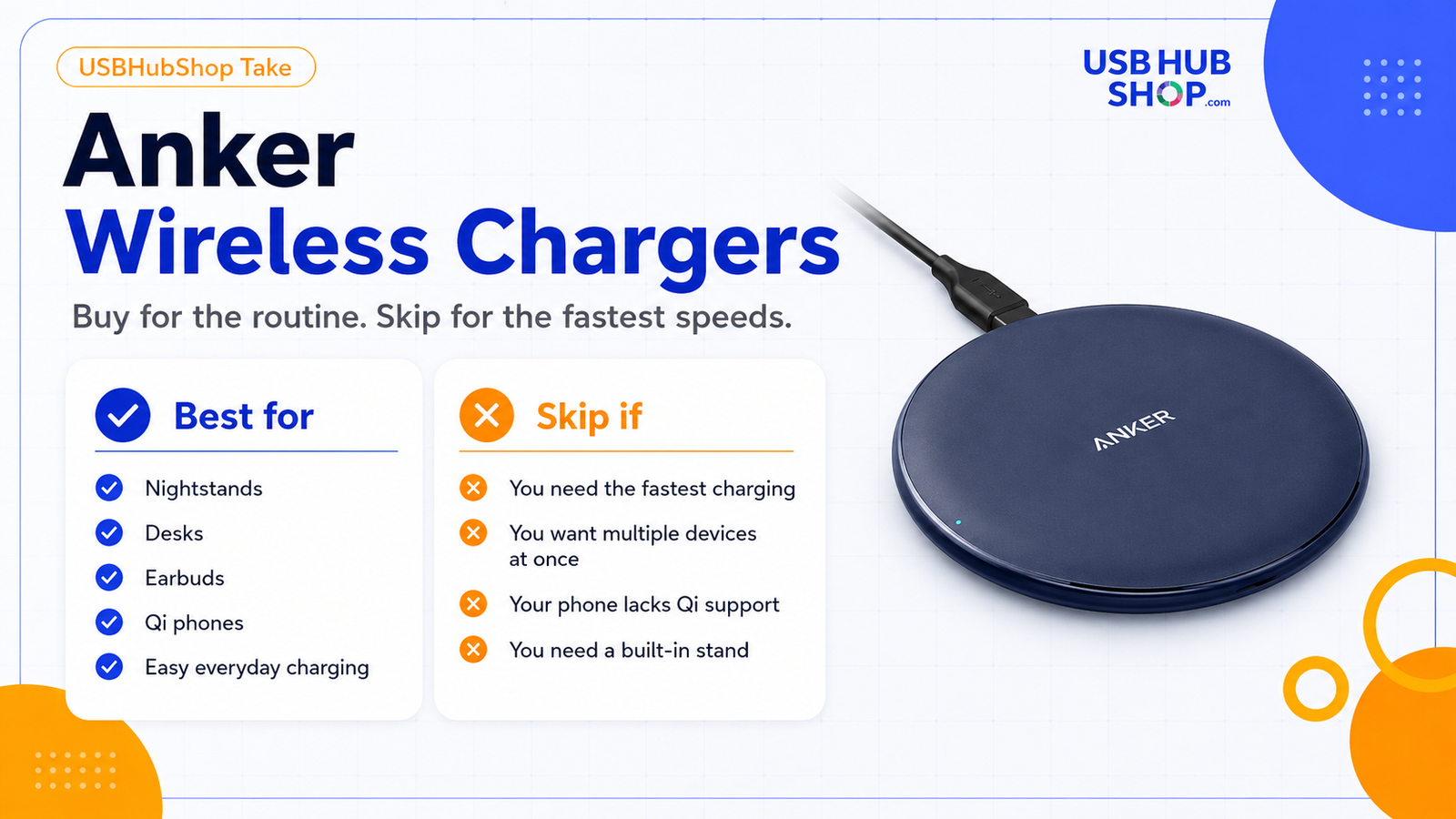
Checklist: Anker wireless chargers are best for desks, nightstands, earbuds, Qi phones, and easy everyday charging. Skip them if speed or multi-device power is the priority.
Wireless charging speed: why the number is not the whole story
Wireless charging speed depends on more than the charger. The phone, wall adapter, case, alignment, temperature, and charging standard all matter.
That is why two wireless chargers can both be called “fast wireless chargers” and still feel different in real life. A basic Qi pad can be perfect for overnight charging. A Qi2 magnetic charger can be better for aligned charging on supported phones. A wired USB-C charger can still be better when time is short.
| Speed range | Common use | What to know |
|---|---|---|
| 5W | Basic wireless charging | Fine for overnight use, slower for daytime quick charging. |
| 7.5W | Common iPhone wireless charging range on many Qi pads | Convenient, but not as fast as wired USB-C. |
| 10W | Common Android fast wireless charging range on many Qi pads | Requires device and adapter compatibility. |
| 15W+ | MagSafe, Qi2, and newer wireless charging options | Only useful when the phone and charger support it correctly. |
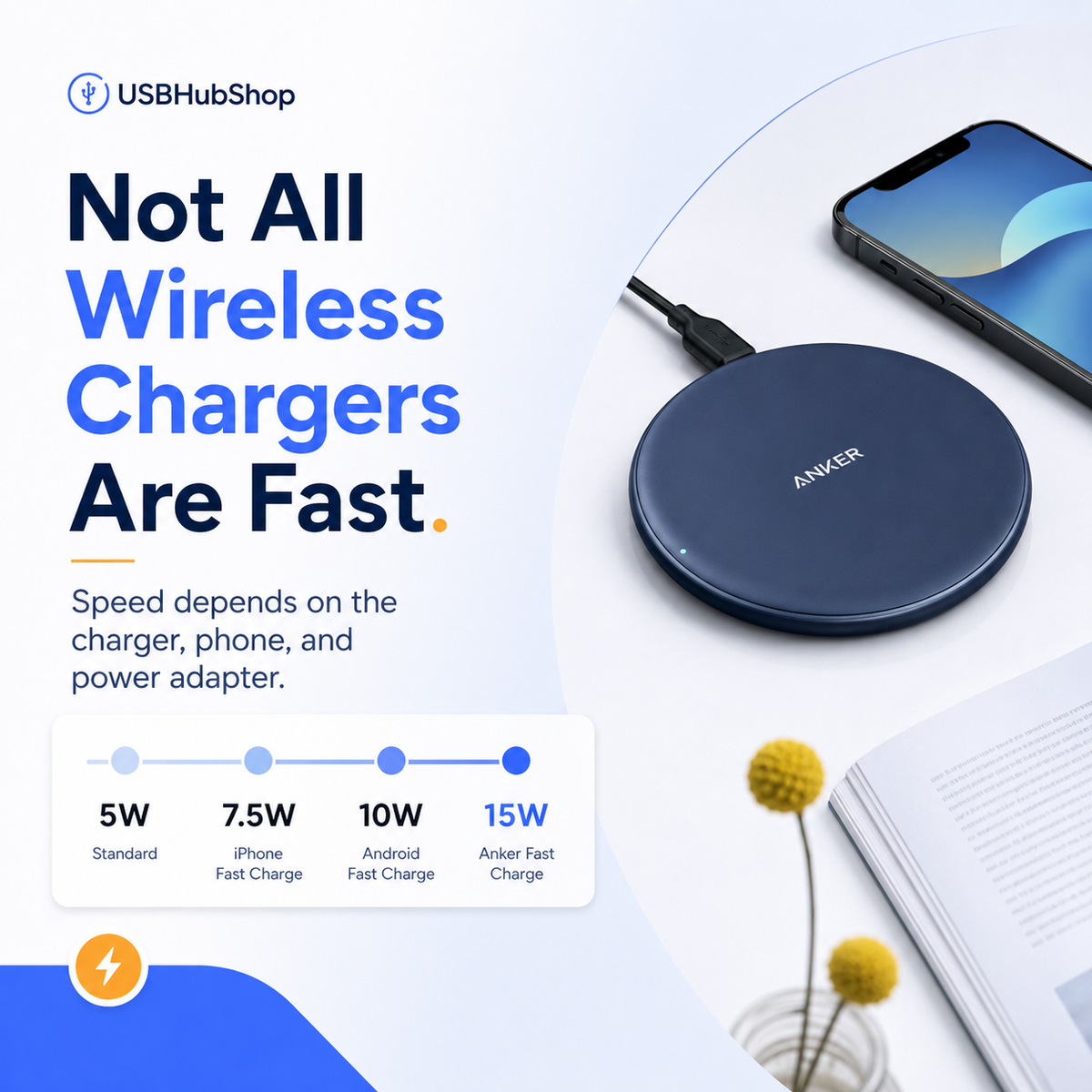
Charging truth: not all wireless chargers are fast. Speed depends on the charger, phone, wall adapter, case, alignment, and charging standard.
MagSafe, Qi, and Qi2: what to check before buying
Compatibility is the part that trips people up. A charger can look right and still not deliver the speed, alignment, or magnetic behavior you expected.
| Term | What it means | Why it matters |
|---|---|---|
| Qi | The common wireless charging standard used by many phones and accessories. | Basic Qi support usually means the phone can charge wirelessly, but speed varies. |
| MagSafe | Apple’s magnetic alignment system for compatible iPhones and accessories. | Useful when you want magnetic attachment and easier alignment. |
| Qi2 | A newer wireless charging standard that includes magnetic alignment features. | Useful when both the phone and charger support Qi2 or compatible magnetic charging. |
| Magnetic case | A case with built-in magnetic alignment support. | Important for MagSafe-style and Qi2-style charging experiences. |
Buying rule
Do not buy based on the word “wireless” alone. Check the phone, charger standard, magnetic support, case compatibility, and wall adapter requirement.
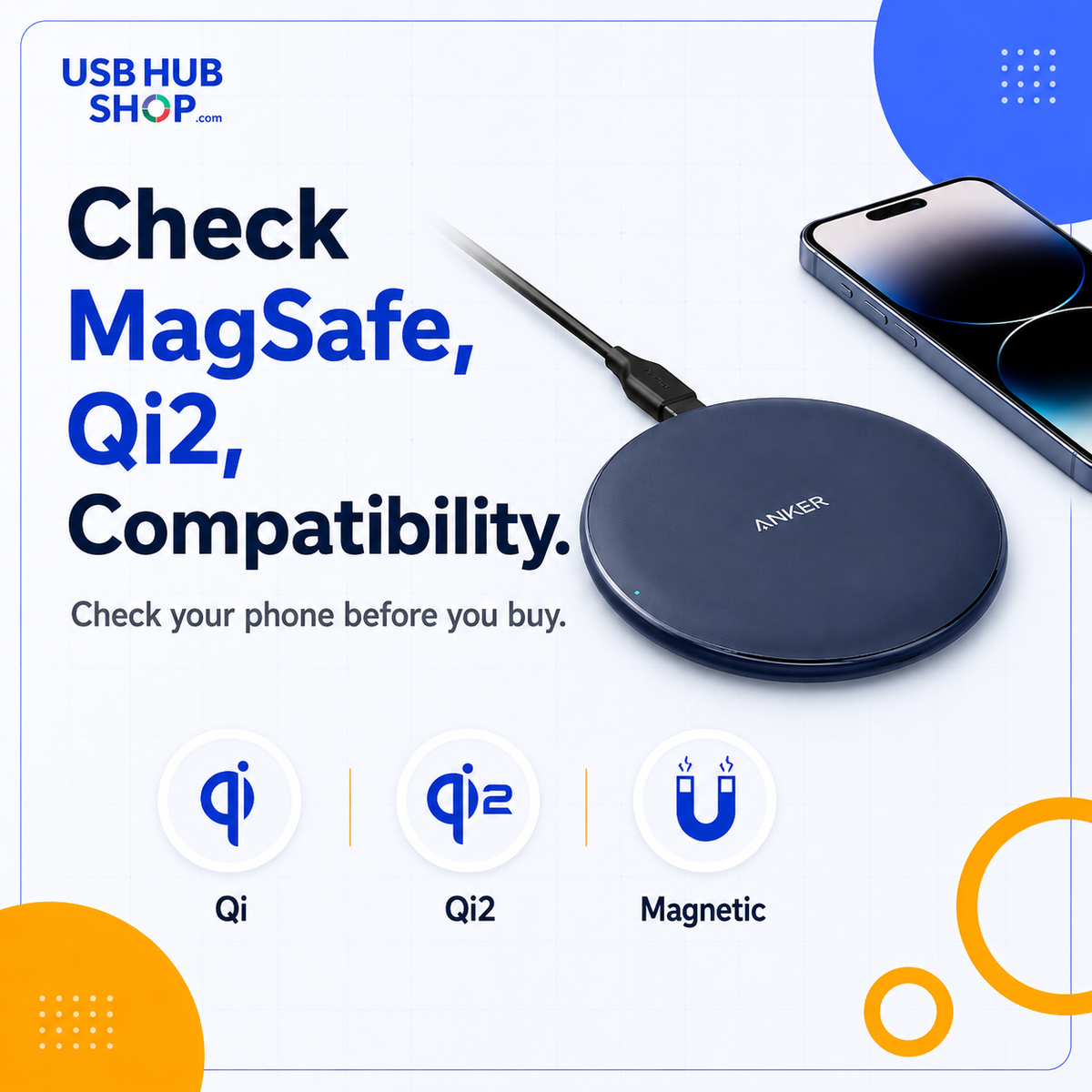
Compatibility check: Qi, Qi2, MagSafe, magnetic cases, and phone support all affect the charging experience.
Flat pad vs stand vs travel charger
The charger shape matters more than people think. A flat pad is simple and stable. A stand is better when you want to see your screen. A travel charger is built for packing and hotel-nightstand use.
Choose a pad if
You want the simplest charger for one phone, a desk, a nightstand, or earbuds.
Choose a stand if
You want to see notifications, take calls, or view your phone while charging.
Choose travel if
You want something compact, packable, and easier to use away from your regular desk.
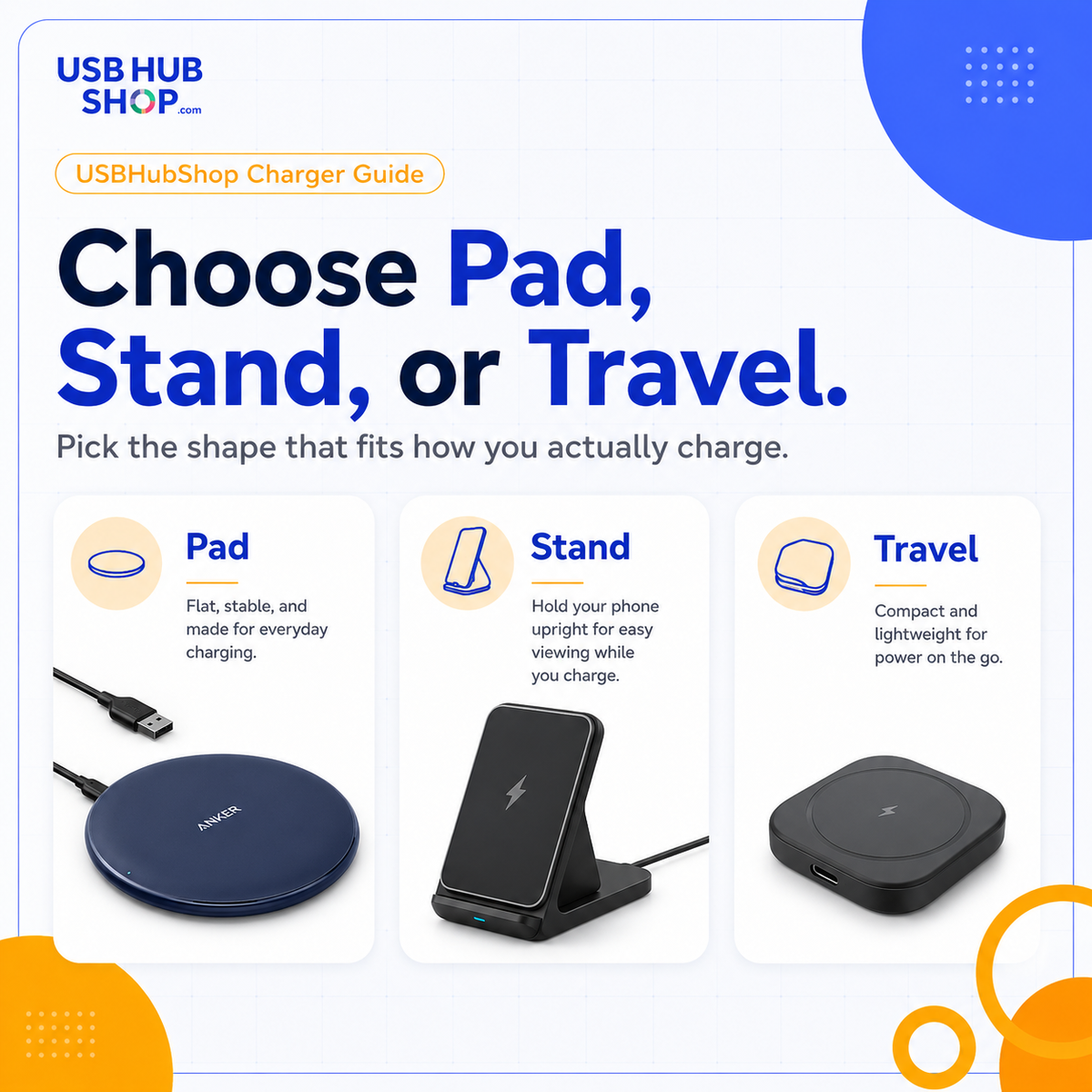
Shape matters: choose a pad for simplicity, a stand for viewing, or a travel charger for portability.
Wireless vs wired charging
The most important buying question is not whether Anker wireless chargers are useful. They are. The question is whether wireless convenience matters more to you than wired speed.
Wireless charging wins when you want a cleaner desk, fewer loose cables, and a simple place to drop your phone. Wired USB-C wins when your phone is low and you need the fastest practical charge before leaving.
Cleaner routine
Best for desks, nightstands, earbuds, and daily phone placement.
Faster charging
Better when speed matters most and you need power quickly.
Use both
Use wireless for daily convenience and wired USB-C when battery is low and time is short.

USBHubShop rule: wireless is convenient. Wired is faster. Buy for the job, not the label.
Pros and cons
Pros
- Clean desk and nightstand setup.
- Easy drop-and-go charging.
- Good for phones and Qi-compatible earbuds.
- Available in pads, stands, magnetic chargers, and travel formats.
- Strong fit for daily charging routines.
Cons
- Usually slower than wired USB-C charging.
- Speed depends on phone, charger, adapter, case, and alignment.
- Metal cases, thick cases, and attachments can interfere.
- Flat pads are not ideal for viewing your phone while charging.
- Some buyers may need Qi2 or MagSafe-style support instead of basic Qi.
This is convenience-first charging.
Buy an Anker wireless charger if you want a cleaner routine. Buy wired USB-C if your main goal is maximum speed.
What to buy instead if wireless is not the right fit
If you want the fastest charge, start with a wired USB-C charger instead. If you want one charger for a phone, tablet, earbuds, and a compact laptop, a higher-wattage USB-C charger or multi-port charger will likely serve you better than a wireless pad.
Need iPhone speed?
Start with a USB-C charger and the right cable.
Need Samsung speed?
Check PPS support before buying.
Need multiple devices?
Look at multi-port USB-C chargers instead of a basic wireless pad.
USBHubShop takeaways worth sharing
Should you buy an Anker wireless charger?
Buy an Anker wireless charger if you want a cleaner, easier charging routine for your phone or earbuds. A flat pad is best for simple drop-and-go charging. A stand is better for screen viewing. A magnetic or Qi2 charger is better when alignment matters. A travel charger is better when portability matters.
Skip a wireless charger if your top priority is speed. In that case, buy the right USB-C wall charger and cable instead.
Buy it
If you want easy everyday charging on a desk or nightstand.
Use wired instead
If your phone is low and speed matters more than convenience.
Check first
Confirm your phone, case, charging standard, and wall adapter before buying.
Simple buying rule
Buy an Anker wireless pad for routine charging. Buy a stand if you want screen visibility. Buy Qi2 or MagSafe-style charging for supported magnetic alignment. Buy wired USB-C for speed.
As an Amazon Associate, USBHubShop may earn from qualifying purchases.People also ask
Are Anker wireless chargers good?
Anker wireless chargers can be a good choice if you want a clean, convenient charger for a desk, nightstand, phone, or wireless earbuds. The right model depends on whether you need a flat pad, stand, travel charger, MagSafe-style charger, or Qi2 charger.
Are Anker wireless chargers fast?
Some Anker wireless chargers support faster wireless charging, but speed depends on the charger, phone, wall adapter, case, alignment, and charging standard. Wired USB-C is usually the better choice when maximum speed matters.
Do Anker wireless chargers work with iPhone?
Many Anker wireless chargers work with Qi-compatible iPhones, but charging speed and magnetic alignment depend on the iPhone model and charger type. For magnetic alignment, look for MagSafe-style or Qi2 support.
Do Anker wireless chargers work with Samsung phones?
Many Samsung Galaxy phones support Qi wireless charging, so they can work with compatible Anker wireless chargers. Check the charger output, Samsung model, case, and adapter requirements before buying.
Should I buy a wireless pad or charging stand?
Buy a flat pad if you want a simple place to drop your phone. Buy a charging stand if you want to see your screen, take calls, or check notifications while charging.
Is wireless charging better than USB-C charging?
Wireless charging is usually more convenient. USB-C charging is usually faster and better for tablets, compact laptops, and quick battery recovery. The better choice depends on whether you need convenience or speed.
Sources and product details checked
USBHubShop reviewed this guide against Anker product information, Wireless Power Consortium Qi and Qi2 standard information, Apple MagSafe charging guidance, and current wireless-vs-wired charging buying considerations.
