
Best USB Hubs: What Still Matters Before Buying.
The best USB hub is not always the one with the most ports, the lowest price, or the longest feature list. A good hub should match the devices you actually use: laptops, monitors, external drives, keyboards, mice, cameras, tablets, phones, printers, and charging accessories.
This updated guide replaces the old “Top 10 USB Hubs of 2023” approach with a cleaner buying framework. Instead of chasing a stale list, use this guide to understand which USB hub type fits your setup now.
Port count is only the beginning.
The best USB hubs are chosen by use case: travel, desk setup, external drives, HDMI monitors, charging, or simple accessories.
Why Trust USBHubShop
USBHubShop helps readers compare USB-C hubs, chargers, cables, docking stations, and accessories using plain-English compatibility guidance.
-
Independent by design
USBHubShop does not manufacture USB-C accessories or sell its own competing charger, cable, hub, or docking station line. -
Compatibility-led, not promotional
Guides are built around device compatibility, charging standards, port support, cable requirements, and practical buyer use cases. -
Clear and accountable
Articles are written under a consistent editorial process with visible update dates, affiliate disclosures, and clear responsibility for corrections. -
Maintained with intent
USB-C standards, charging speeds, cable ratings, device requirements, and product availability can change. Guidance is reviewed and updated as the category evolves.
Affiliate disclosure: USBHubShop may earn a commission when you buy through links on this page, at no extra cost to you. We focus on helping you choose USB-C hubs, powered hubs, docking stations, chargers, cables, and adapters that match your actual setup.
Quick answer
The best USB hub is the one that matches your devices, power needs, data speed, and workspace. A basic USB hub is fine for keyboards, mice, and flash drives. A powered USB hub is better for several accessories or external drives. A USB-C hub is better for modern laptops. A docking station is better for a full desk setup with monitors, Ethernet, laptop charging, and multiple devices.
Buy by use case, not by “Top 10” hype.
A USB hub that is perfect for travel may be weak for a desk setup. A powered hub may be great for external drives but unnecessary for a mouse and keyboard. A USB-C docking station may be better than a small hub if you use monitors and Ethernet every day.
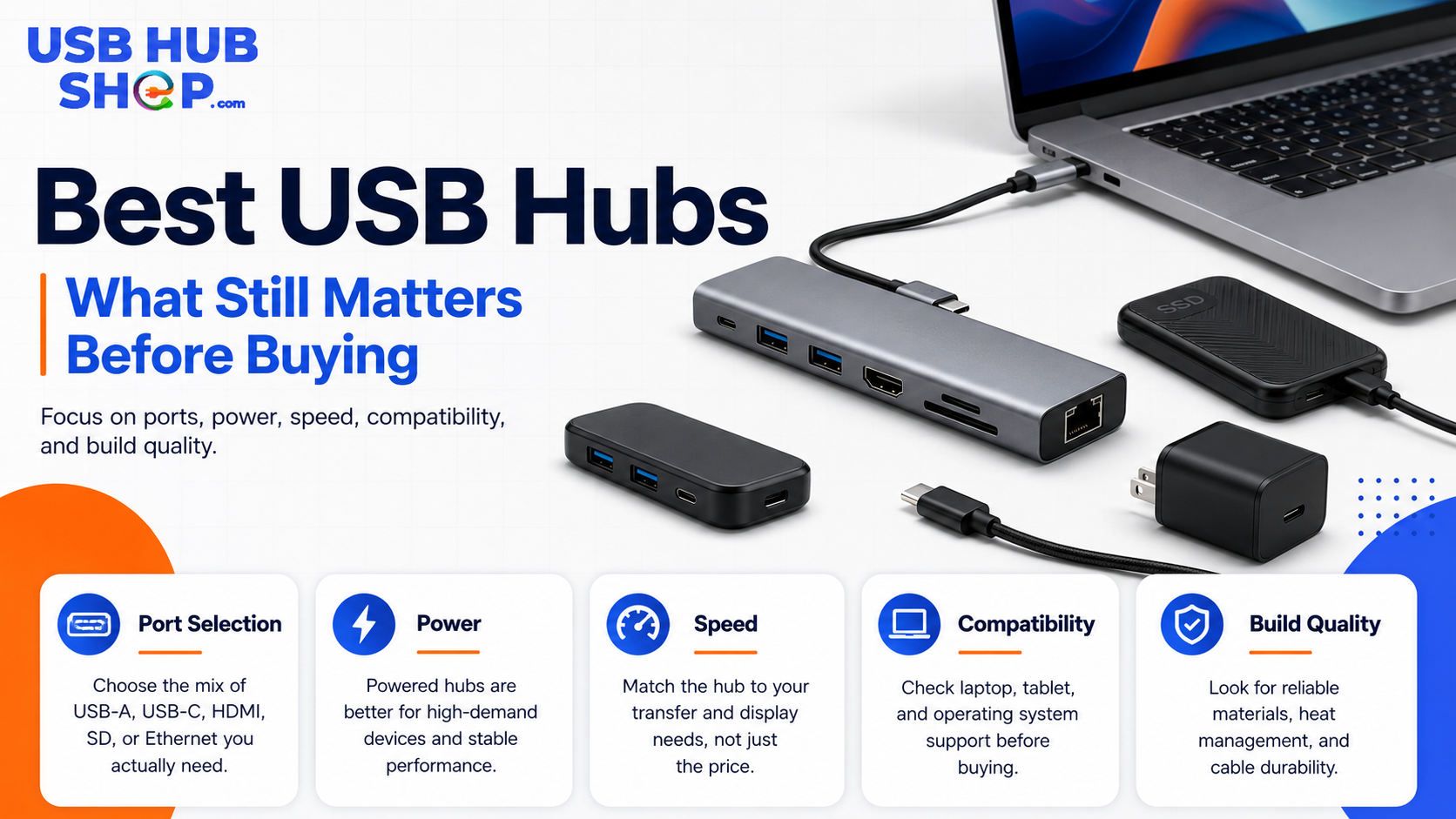
The best USB hub depends on what you connect: simple accessories, external drives, monitors, charging, travel gear, or a full desk setup.
What still matters when choosing a USB hub?
USB hubs have changed. Older USB-A hubs are still useful for simple accessories, but many modern laptops and tablets now depend on USB-C. At the same time, buyers now expect hubs to handle more than just extra ports. HDMI, Ethernet, SD cards, USB-C Power Delivery, external drives, and desk docking are all part of the buying decision.
That is why the best USB hub is not one universal product. It depends on what you are trying to connect.
Good basic hub
Adds reliable ports for simple accessories like keyboards, mice, flash drives, printers, and USB receivers.
Compare simple USB hubs →Better advanced hub
Adds the right mix of USB-C, HDMI, Ethernet, SD card, Power Delivery, and stable support for external drives.
See the USB-C hub guide →Best USB hub type by setup
Start here. Pick the setup that sounds most like how you actually use your devices, then follow the best next step for that type of hub.
| Your setup | Best hub type | Best next step |
|---|---|---|
| Basic accessories | Simple USB-A or USB-C hub |
Good for keyboards, mice, USB receivers, flash drives, and simple peripherals.
Compare simple USB hubs |
| Modern laptop | USB-C hub |
Adds useful ports like USB-A, HDMI, SD card, Ethernet, and USB-C passthrough.
See the Best USB-C Hubs guide |
| External drives and SSDs | Powered hub or high-speed USB-C hub |
Storage devices need reliable power and enough data speed.
See hubs for external drives and SSDs |
| Monitor setup | USB-C hub with HDMI or DisplayPort |
Works if your device supports video output through USB-C.
See USB-C hubs with HDMI |
| Desk workstation | USB-C docking station |
Better for monitors, Ethernet, charging, storage, and multiple accessories.
Compare USB-C docking stations |
| Travel | Compact USB-C hub |
Small, portable, and useful for hotels, meetings, airports, and mobile work.
See compact travel USB-C hubs |
Simple USB hub
Best for adding a few extra ports for keyboards, mice, flash drives, USB receivers, printers, and other simple accessories.
Compare simple USB hubs → Laptop useUSB-C hub
Best for modern laptops that need HDMI, USB-A, SD card, Ethernet, USB-C data, or charging passthrough in one compact adapter.
See the USB-C hub guide → Desk useUSB-C docking station
Best when your laptop becomes a full workstation with monitors, Ethernet, laptop charging, storage, keyboard, mouse, and desk accessories.
Compare USB-C docking stations →USB-A hub vs USB-C hub
A USB-A hub is still useful if your computer has USB-A ports and you mainly connect older accessories. A USB-C hub is usually the better choice for newer laptops, MacBooks, iPads, tablets, and compact computers that rely on USB-C.
USB-C hubs also tend to include more modern expansion features, such as HDMI, SD card slots, Ethernet, and USB-C Power Delivery passthrough. But not every USB-C hub supports every feature, so check the actual specs before buying.
Powered USB hub vs regular USB hub
A regular bus-powered USB hub pulls power from the computer. That can be fine for low-power accessories. A powered USB hub has its own power adapter, which can help when you connect several devices or accessories that need more stable power.
Powered USB hubs are especially useful for external hard drives, several USB-A accessories, webcams, cameras, audio gear, and setups where devices keep disconnecting.
Do not ignore power
If your external drive fails to mount, your webcam glitches, or your devices disconnect when multiple accessories are plugged in, the problem may be power. A powered hub may solve what a basic hub cannot.
For more detail, read Powered USB Hubs Explained or compare powered USB hubs.
What ports should the best USB hub have?
The right ports depend on what you connect every day. Do not pay extra for ports you will never use, but do not buy too little if your setup needs more than basic USB expansion.
| Port or feature | Best for | What to check |
|---|---|---|
| USB-A | Keyboards, mice, flash drives, printers, older accessories | Number of ports and speed rating. Compare USB-A hubs. |
| USB-C | Modern accessories, phones, tablets, SSDs, newer devices | Whether it supports data, charging, or both. See USB-C hubs. |
| HDMI | External monitors, TVs, projectors | Resolution, refresh rate, and USB-C video support. See HDMI hub guide. |
| Ethernet | Stable wired internet | Gigabit Ethernet if speed matters. Compare USB-C Ethernet hubs. |
| SD / microSD | Cameras, drones, creators, photographers | Card type and transfer speed. See USB-C hubs with card readers. |
| USB-C Power Delivery | Laptop charging through the hub | Wattage support and charger compatibility. Compare USB-C PD hubs. |
Data speed still matters
For basic accessories, USB speed is not always a major issue. A keyboard, mouse, or printer does not need the fastest hub. But for external drives, SSDs, SD cards, large files, video projects, and backups, speed matters.
Modern product listings may use labels like USB 5Gbps, USB 10Gbps, USB 20Gbps, USB4, or Thunderbolt. The important thing is to check the actual speed the hub supports and whether your computer port, cable, and connected device can also support that speed.
Simple devices
Keyboards, mice, printers, and receivers do not usually need high-speed USB.
Compare basic USB hubs →Everyday storage
USB 5Gbps or USB 10Gbps can be enough for many flash drives and external drives.
Compare USB 3.0 hubs →Premium workflows
USB4 or Thunderbolt may make more sense for high-speed storage and advanced docks.
Compare Thunderbolt docks →If your hub feels slow, read USB-C Hub Slow Transfer Speed.
HDMI and monitor support: check this before buying
A USB-C hub with HDMI can be useful, but it only works correctly if your laptop, tablet, cable, and hub support video output. Not every USB-C port supports external displays.
Also check the monitor resolution and refresh rate. Some hubs may support 4K at 30Hz, while others support 4K at 60Hz. That difference matters for smooth mouse movement, video editing, multitasking, and daily desk comfort.
USB-C shape does not guarantee video
If your USB-C hub HDMI port does not work, the issue may be the laptop’s USB-C port, the hub, the monitor cable, or the display settings. Check compatibility before assuming the hub is defective.
Useful next guides: Best USB-C Hubs With HDMI, USB-C HDMI Adapter Not Working, and USB-C Monitor Not Detected. Ready to shop? Compare USB-C hubs with 4K HDMI.
When a docking station is better than a USB hub
A USB hub is usually best for adding a few ports. A docking station is better when your laptop becomes your main workstation and you want one connection for monitors, Ethernet, laptop charging, storage, keyboard, mouse, and other accessories.
If your setup stays on a desk most of the time, a docking station may be worth the extra cost. If you move between rooms, cafes, classes, or meetings, a compact USB-C hub may be more practical.
Choose a USB hub
You need a few extra ports, a travel accessory, or a simple laptop expansion tool.
Compare compact USB-C hubs →Choose a docking station
You need a full desk setup with monitors, Ethernet, charging, and multiple permanent accessories.
Compare USB-C docking stations →For a full breakdown, read USB-C Hub vs Docking Station.
The best USB hub is the one that prevents problems later.
A cheap hub can look fine until you add an external drive, monitor, charger, webcam, and card reader. Buy for the whole setup, not just the device you are plugging in today.
Best USB hub buying checklist
Before you buy, run through this checklist.
1. Host device
Check whether your laptop, tablet, or desktop uses USB-A, USB-C, Thunderbolt, or USB4.
2. Port needs
List what you actually connect: HDMI, USB-A, USB-C, Ethernet, SD card, storage, or chargers.
3. Power needs
Choose powered hubs for multiple devices or external drives. Check USB-C PD for laptop charging.
4. Data speed
Use faster hubs for external drives, SSDs, card readers, backups, and creator workflows.
5. Video support
Check HDMI or DisplayPort resolution, refresh rate, and whether your device supports video output.
6. Travel or desk
Small hubs travel better. Powered hubs and docking stations work better for permanent desks.
Best USB hub category by buyer type
| Buyer type | Best category | Start here |
|---|---|---|
| MacBook user | USB-C hub or Thunderbolt dock | Best USB-C Hubs for MacBook |
| Windows laptop user | USB-C hub with HDMI, USB-A, Ethernet, and PD | Best USB-C Hubs |
| External drive user | Powered or high-speed USB-C hub | Best USB-C Hubs for External Drives & SSDs |
| Monitor user | USB-C hub with HDMI or docking station | Best USB-C Hubs With HDMI |
| Desk setup | USB-C docking station | Compare USB-C docking stations |
| Traveler | Slim USB-C hub | See slim travel USB-C hubs |
Should you still buy an older USB hub?
Sometimes, yes. Older USB-A hubs and USB 3.0 hubs can still be useful for basic accessories. If all you need is more ports for a keyboard, mouse, receiver, flash drive, or printer, you may not need a premium USB-C hub.
But if you are buying for a newer laptop, external SSD, 4K monitor, USB-C charging, or a permanent workstation, newer USB-C hubs and docking stations usually make more sense.
Simple buying rule
Buy a simple USB hub for basic accessories, a powered hub for multiple power-hungry devices, a USB-C hub for modern laptop expansion, and a docking station for a full desk setup.
As an Amazon Associate, USBHubShop may earn from qualifying purchases.People also ask
What is the best USB hub to buy?
The best USB hub depends on your setup. Choose a basic hub for simple accessories, a powered hub for several devices or external drives, a USB-C hub for modern laptops, and a docking station for a full desk setup.
Is a USB-C hub better than a USB-A hub?
A USB-C hub is usually better for newer laptops and tablets because it can support modern features like HDMI, Ethernet, SD cards, and USB-C Power Delivery. A USB-A hub can still be fine for older accessories.
Do I need a powered USB hub?
You may need a powered USB hub if you connect external hard drives, several USB accessories, cameras, audio gear, or devices that keep disconnecting from a regular hub.
What should I look for in a USB hub?
Check the port types, data speed, power support, HDMI or video support, Ethernet, SD card slots, cable quality, and whether the hub is designed for travel or desk use.
Can a USB hub charge a laptop?
Some USB-C hubs support laptop charging through USB-C Power Delivery passthrough, but not all hubs do. Check the supported wattage and make sure your charger and laptop are compatible.
Is a docking station better than a USB hub?
A docking station is better for a full desk setup with monitors, Ethernet, laptop charging, and multiple accessories. A USB hub is better for simple port expansion or travel.
Sources and product details checked
USBHubShop reviewed this update as an evergreen USB hub buying guide. Current USB naming and packaging guidance emphasizes practical speeds such as USB 5Gbps, USB 10Gbps, USB 20Gbps, USB 40Gbps, and USB 80Gbps. Buyers should compare hubs by real speed, power, video support, port layout, and device compatibility instead of relying on stale yearly lists.
