
Mini USB Explained: Where It Still Shows Up and What to Use Instead.
Mini USB is one of those older connectors that many people forget about until they find an old camera, GPS unit, controller, portable hard drive, or accessory that still needs it.
It is not the connector most people should choose for new devices today. But if you own older gear, Mini USB still matters because the right cable can be the difference between reviving a useful device and assuming it no longer works.
Mini USB is legacy, not useless.
Keep it for older cameras, GPS units, controllers, and accessories — but choose USB-C for most new charging and data setups.
Why Trust USBHubShop
USBHubShop helps readers compare USB-C hubs, chargers, cables, docking stations, and accessories using plain-English compatibility guidance.
-
Independent by design
USBHubShop does not manufacture USB-C accessories or sell its own competing charger, cable, hub, or docking station line. -
Compatibility-led, not promotional
Guides are built around device compatibility, charging standards, port support, cable requirements, and practical buyer use cases. -
Clear and accountable
Articles are written under a consistent editorial process with visible update dates, affiliate disclosures, and clear responsibility for corrections. -
Maintained with intent
USB-C standards, charging speeds, cable ratings, device requirements, and product availability can change. Guidance is reviewed and updated as the category evolves.
Affiliate disclosure: USBHubShop may earn a commission when you buy through links on this page, at no extra cost to you. We focus on helping you choose USB cables, USB-C accessories, hubs, adapters, and chargers that match your actual devices.
Quick answer
Mini USB is an older USB connector most commonly found on legacy devices like digital cameras, GPS units, older controllers, MP3 players, and some portable accessories. It can still be useful if you own a device that requires it, but it is not the best choice for new phones, tablets, laptops, chargers, or modern USB-C setups.
Buy the cable your device actually uses.
Mini USB, Micro USB, and USB-C are not the same connector. Before buying a replacement cable, compare the port shape on your device. If the device is old, it may need Mini USB. If it is newer, it probably uses Micro USB or USB-C.
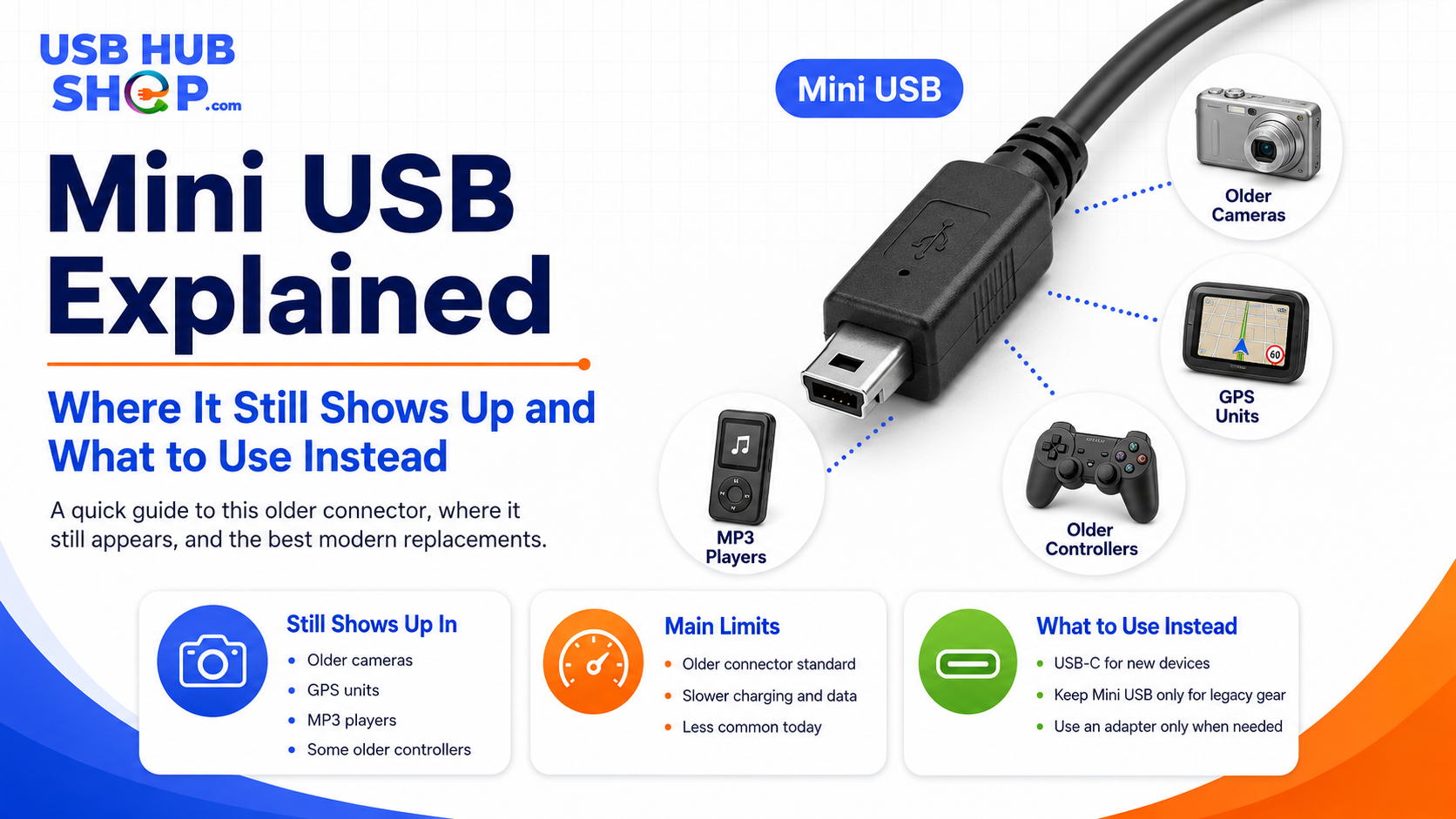
Mini USB is mostly legacy now, but it still matters when you need to connect older cameras, GPS devices, controllers, and accessories.
What is Mini USB?
Mini USB is a smaller USB connector style that was popular before Micro USB and USB-C became more common. The most familiar version for consumers is usually Mini-B, often seen on older portable electronics.
Mini USB was useful because it made USB connections smaller than the larger square USB-B connectors used on printers and scanners. But it was eventually replaced in many consumer devices by Micro USB, and then by USB-C.
Where Mini USB still shows up
Mini USB is not common on new mainstream devices, but it still appears in drawers, camera bags, travel cases, old electronics boxes, and legacy office setups.
Before throwing away an older device, check whether it simply needs the correct Mini USB cable.
| Device type | Mini USB likely? | Best next step |
|---|---|---|
| Older digital cameras | Often possible |
Many older cameras used Mini USB for data transfer or charging.
Compare camera cables |
| GPS devices | Often possible |
Some older GPS units used Mini USB for charging, updates, or computer connection.
See GPS Mini USB cables |
| Older game controllers | Sometimes |
Some older controllers and accessories used Mini USB before Micro USB and USB-C.
Compare controller cables |
| MP3 players and recorders | Sometimes |
Some older audio devices use Mini USB for syncing or charging.
See Mini USB sync cables |
| Older external drives | Sometimes |
Some legacy portable drives used Mini USB, but newer drives usually use Micro-B USB 3.0, USB-C, or another connector.
See storage hub guide |
| New phones and laptops | Usually no |
Most modern phones, tablets, and laptops use USB-C instead.
See USB-C cable guide |
Cameras
Older digital cameras may still need a Mini USB cable for transfer or charging.
Still shows upGPS devices
Some GPS units use Mini USB for charging, updates, or computer connection.
Modern defaultUSB-C devices
For newer phones, tablets, laptops, hubs, and chargers, USB-C is usually the better path.
Mini USB vs Micro USB vs USB-C
Mini USB, Micro USB, and USB-C are easy to confuse because they are all smaller than the older full-size USB connectors. But they are not interchangeable.
The quickest way to avoid buying the wrong cable is to look closely at the port shape. Mini USB is thicker and more trapezoid-like than Micro USB. USB-C is rounded, reversible, and found on many newer devices.
| Connector | Where it is common | Best next step |
|---|---|---|
| Mini USB | Older cameras, GPS units, controllers, audio devices, and legacy accessories. |
Keep or buy only if your device specifically requires Mini USB.
Compare Mini USB cables |
| Micro USB | Older Android phones, power banks, Bluetooth speakers, headphones, and small accessories. |
Useful for older accessories, but less ideal for new purchases.
See Micro USB cables |
| USB-C | Modern phones, tablets, laptops, chargers, docks, hubs, monitors, and accessories. |
Best default for most new charging and data setups.
See USB-C cable guide |
Can Mini USB charge devices?
Yes, some Mini USB devices can charge through Mini USB, but charging behavior depends on the device. Older devices may charge slowly, may require a computer connection, or may need a specific power adapter.
Do not assume a Mini USB cable will fast charge the way a modern USB-C cable and charger can. If the device is old, treat Mini USB as a legacy charging and data connection, not a modern fast-charging solution.
Mini USB is not a modern fast-charging standard
If you need fast charging for a new phone, tablet, or laptop, use the correct USB-C cable and a compatible USB-C charger instead of trying to adapt everything through Mini USB.
For modern charging help, read USB-C Charging Speed Guide and Best USB-C Chargers.
Should you buy a Mini USB cable today?
Buy a Mini USB cable today only if you own a device that actually needs Mini USB. It is a practical replacement cable for older gear, not a cable you should build a modern charging setup around.
If you are organizing your cables, it can still be worth keeping one Mini USB cable in a labeled legacy pouch. But for new devices, new chargers, new hubs, and new desk setups, USB-C is usually the better choice.
What to use instead of Mini USB
What you should use instead depends on the device. You cannot simply force USB-C into a Mini USB port. But you can upgrade your setup around the device when possible.
| Your situation | Better option | Best next step |
|---|---|---|
| You still use an old Mini USB device | Buy a good USB-A to Mini USB cable |
This is the simplest replacement for legacy gear.
Compare Mini USB cables |
| Your new laptop only has USB-C ports | Use a USB-C hub or adapter |
A hub lets you connect older USB-A cables to a newer USB-C laptop.
See USB-C hubs |
| Your device supports USB-C | Use USB-C directly |
USB-C is cleaner, reversible, and better for most new setups.
See USB-C cable guide |
| You are replacing older accessories | Choose newer USB-C accessories when practical |
This reduces the number of legacy cables you need to keep.
Compare USB-C accessories |
| Your cable drawer is confusing | Label and separate legacy cables |
Keep Mini USB separate from Micro USB and USB-C.
See cable organizers |
Mini USB is worth keeping for older gear, not building around.
If a device still works and needs Mini USB, buy the correct cable and keep it labeled. But for new chargers, hubs, laptops, phones, tablets, and everyday cable setups, USB-C is the cleaner long-term direction.
Best Mini USB buying checklist
Before buying a Mini USB cable or adapter, run through this quick checklist.
1. Check the port shape
Mini USB, Micro USB, and USB-C are different. Match the cable to the device port.
2. Confirm the device model
Search the device manual or model number if you are not sure which cable it needs.
3. Choose the right cable length
Shorter cables are cleaner for desks. Longer cables may be better for older cameras or GPS devices.
4. Do not expect fast charging
Mini USB is not the same as modern USB-C fast charging.
5. Use a hub if needed
If your laptop only has USB-C, use a USB-C hub to connect older USB-A cables.
6. Label legacy cables
Keep Mini USB separate so you do not confuse it with Micro USB or USB-C later.
Simple buying rule
Buy Mini USB only for devices that still require it. For newer devices and everyday charging setups, move toward USB-C cables, USB-C chargers, and USB-C hubs.
As an Amazon Associate, USBHubShop may earn from qualifying purchases.People also ask
What is Mini USB used for?
Mini USB is used on some older devices, including digital cameras, GPS units, controllers, MP3 players, recorders, and older portable accessories.
Is Mini USB the same as Micro USB?
No. Mini USB and Micro USB are different connector shapes. A Micro USB cable will not fit correctly into a Mini USB port, and a Mini USB cable will not fit into a Micro USB port.
Is Mini USB the same as USB-C?
No. USB-C is a newer reversible connector used on many modern phones, tablets, laptops, chargers, hubs, and accessories. Mini USB is older and mostly used on legacy devices.
Can Mini USB transfer data?
Yes. Many Mini USB cables can transfer data, especially with older cameras, GPS units, and portable accessories. However, performance depends on the device, cable, and USB standard supported.
Can Mini USB charge devices?
Some Mini USB devices can charge through Mini USB, but charging is usually slower and more limited than modern USB-C charging.
Should I still buy a Mini USB cable?
Buy a Mini USB cable only if you have an older device that specifically uses Mini USB. For new devices and everyday charging setups, USB-C is usually the better choice.
Sources and product details checked
USBHubShop reviewed this update as an evergreen Mini USB connector guide. USB-IF’s USB 2.0 document library includes Mini-B connector material, and Mini USB 2.0 connectors are associated with older USB 2.0-era devices. For modern setups, USB-C is usually the stronger long-term choice for new phones, tablets, laptops, chargers, hubs, and accessories.
